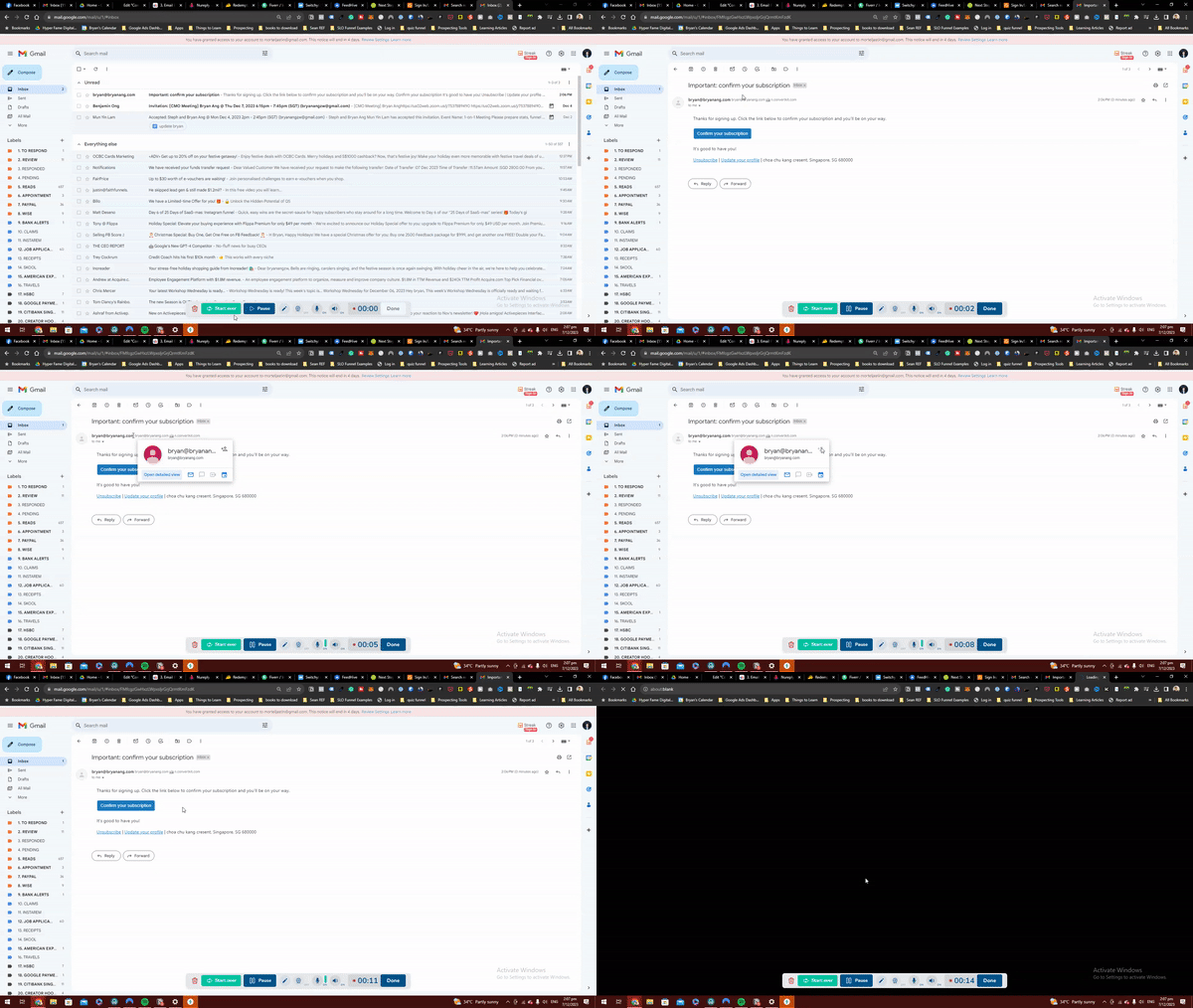
Please CONFIRM your email
1. Check your inbox for a confirmation email
2. Open confirmation email
3. Add “Bryan Ang” as a contact
4. Click the confirmation button to verify your email and subscribe to the newsletter
Important: Add bryan@bryanang.com as a contact to ensure you actually get the emails.
Note: If you don’t see the confirmation email in your inbox, check PROMOTIONS or SPAM folders and drag the email to your PRIMARY inbox.